

Sometimes a candidate's resume needs updating after they apply: a newer version, a corrected file, or one they send your recruiter directly. Until now, that meant asking the candidate to log back in and upload it again. Now your recruiters can add or replace the resume themselves, right from the Resume tab.
How it works for your team
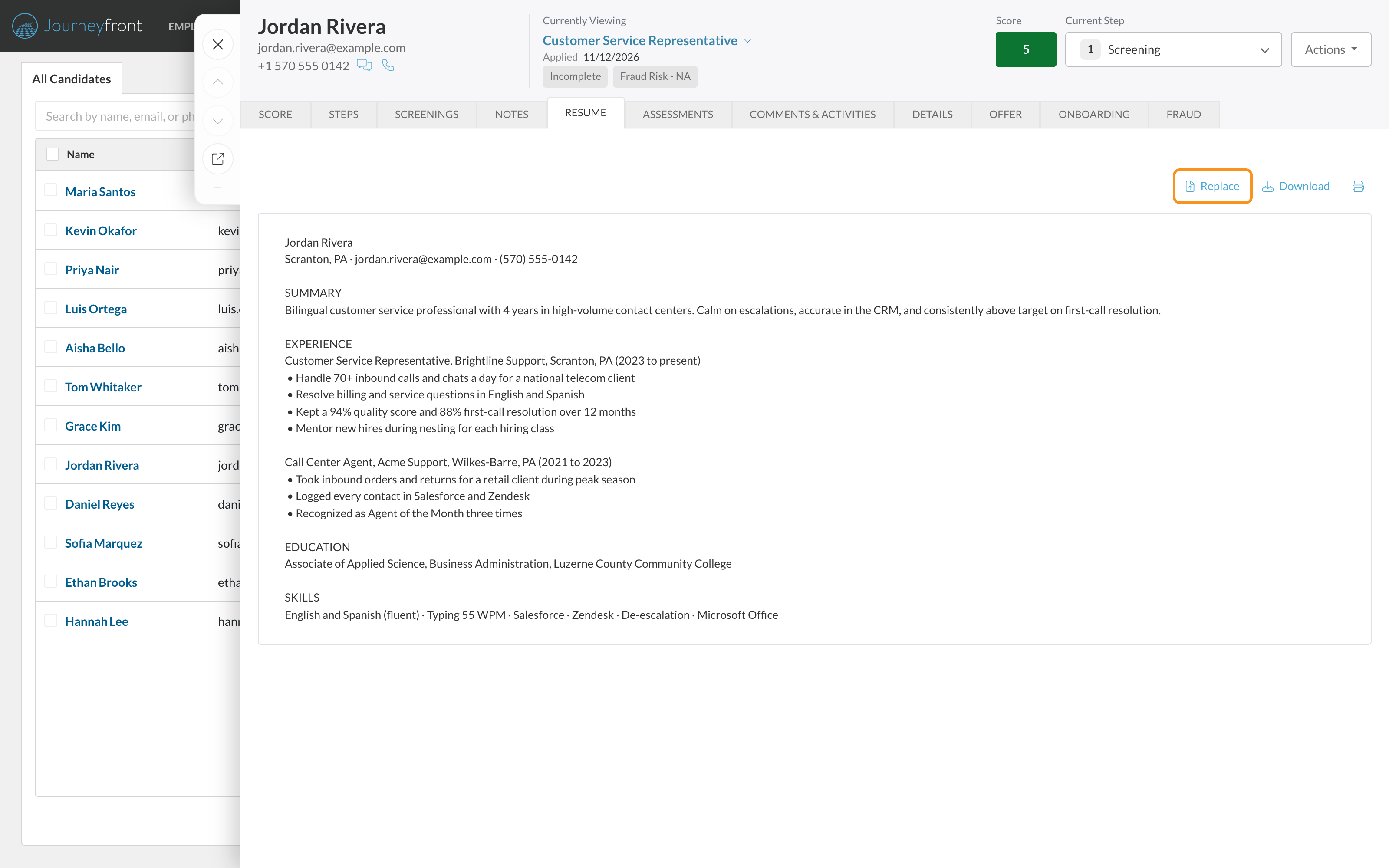
1. Open the Resume tab and click Replace
On the Candidate Application or the Candidate Profile, open the Resume tab. Replace sits next to Download. If the candidate has no resume yet, click Upload Resume instead.
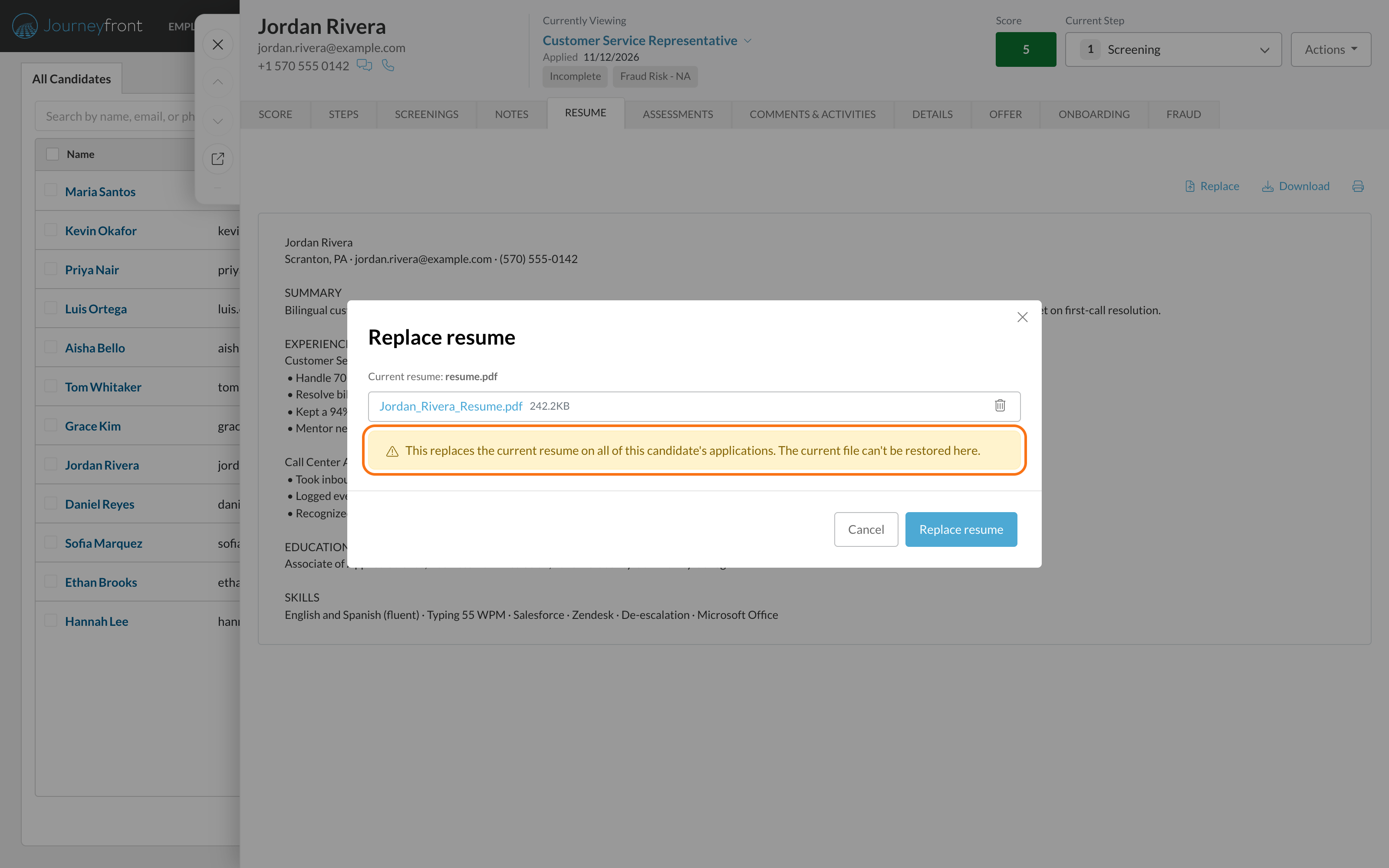
2. Choose the file and confirm
Drag the file in or pick it from your computer. The window names the resume you're replacing and reminds you that the new one replaces it on all of the candidate's applications, so nothing gets overwritten by accident.
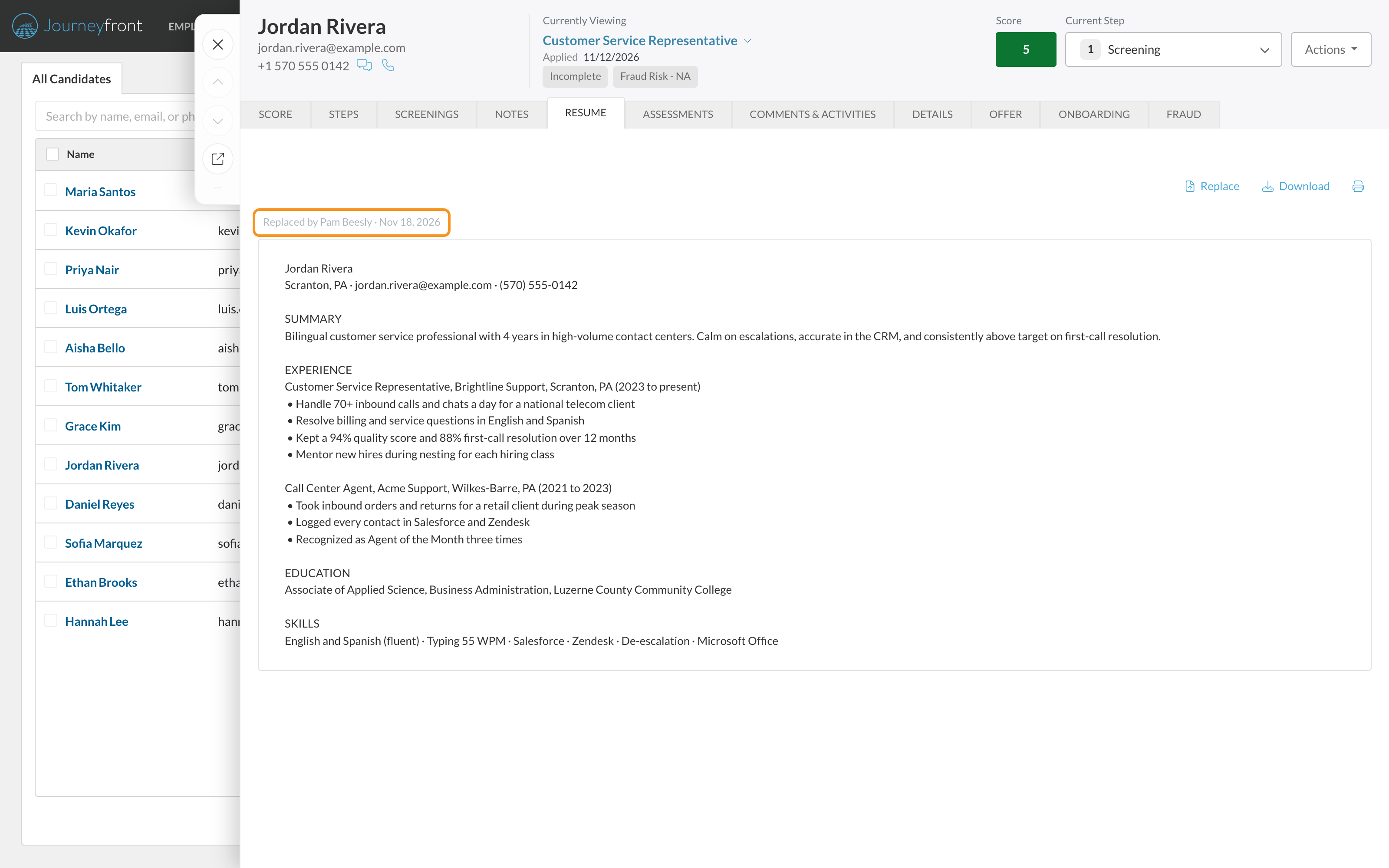
3. See who changed it
The Resume tab reloads with the new file. A line above it shows who made the change and when.
What your team gets
- Up-to-date records. A new or corrected resume goes on file as soon as you have it, without chasing the candidate.
- The real resume everywhere. The new file shows on every one of the candidate's applications and on their Candidate Profile.
- Fresh AI resume scores. If AI resume scoring is on, the new resume is scored again for your job reqs that score new resumes automatically.
- A clear history. Every change is recorded with who made it and when, and the previous file is kept so support can recover it.
Getting set up
- Nothing to turn on. Anyone who can open the candidate's application can add or replace their resume: the job req's hiring team, roles with All Job Req Access, and Journeyfront admins.
Good to know
- You can upload PDF, Word, text and HTML files up to 10 MB. Journeyfront checks what's in the file, not just its name.
- A resume belongs to the person, so a replacement shows on every application they have.
- If Journeyfront can't read the text in the new file, it's still saved, and you can view and download the original.
- AI resume scores refresh only on job reqs that score new resumes automatically. Other job reqs keep their current score until someone regenerates it.
- There's no way to delete a resume, only to add or replace one.